No ads · No tracking · Your clouds, your data

The last gallery app
you'll need.

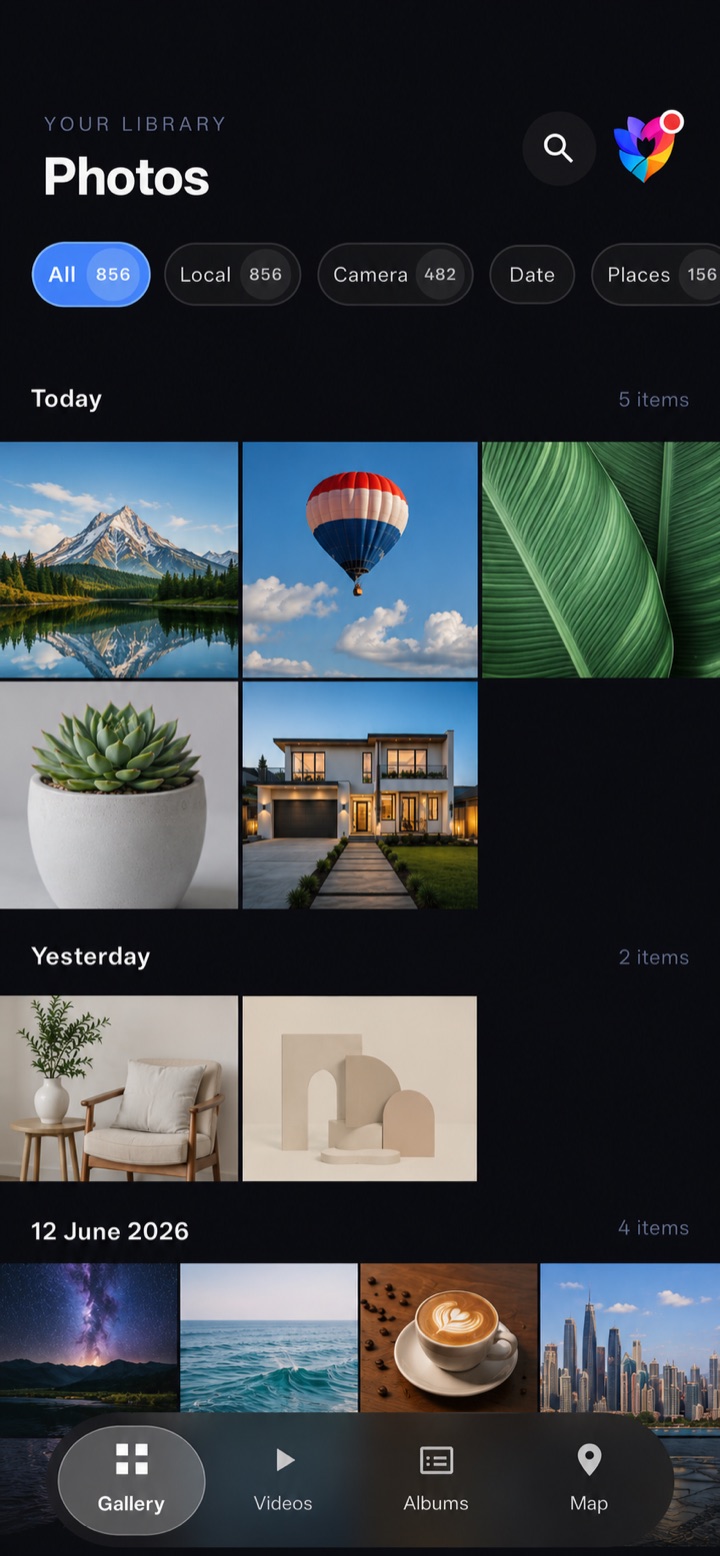
A fast, gorgeous gallery for your photos and videos — backed up to up to five clouds in parallel, with face groups, smart categories and maps processed right on your device.

Twlip gallery screen
5
Cloud providers
100%
On-device AI
0
Ads & trackers
2
Light & dark themes
Features

Everything a gallery should do

Built for people who keep their memories close, organized, and safely backed up.

Multi-cloud backup

Google Drive, Telegram, OneDrive, Dropbox and MEGA — connect any combination and back up in parallel.

Auto backup

Set a schedule and forget it. New photos upload quietly in the background, on your terms.

Free up space

Already backed up? Pick a folder and clear the local copies you no longer need — safely.

Face groups

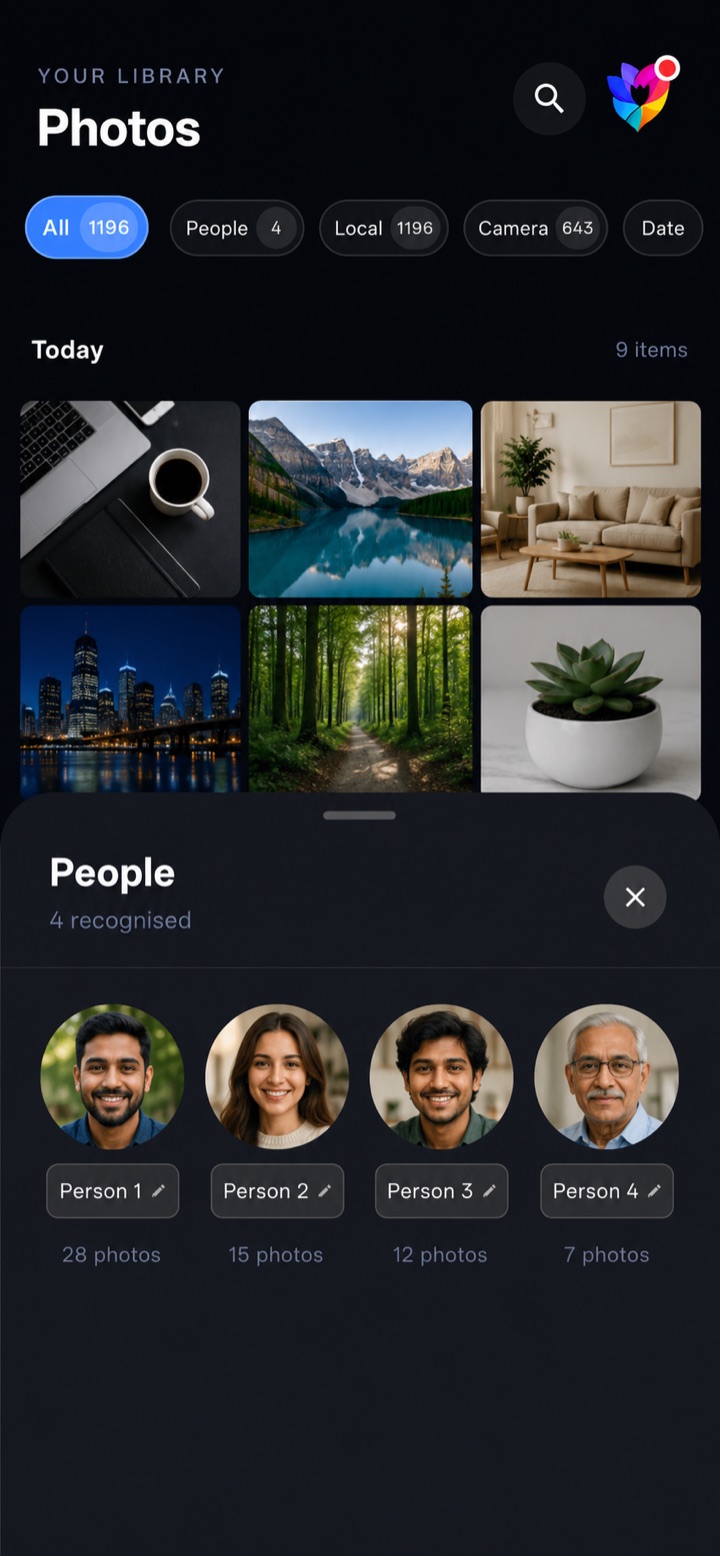
On-device face clustering with ML Kit. Tap a person to see every photo of them — instantly.

Map view

Photos with GPS plotted on a world map using open-source tiles. No live location tracking.

Smart categories

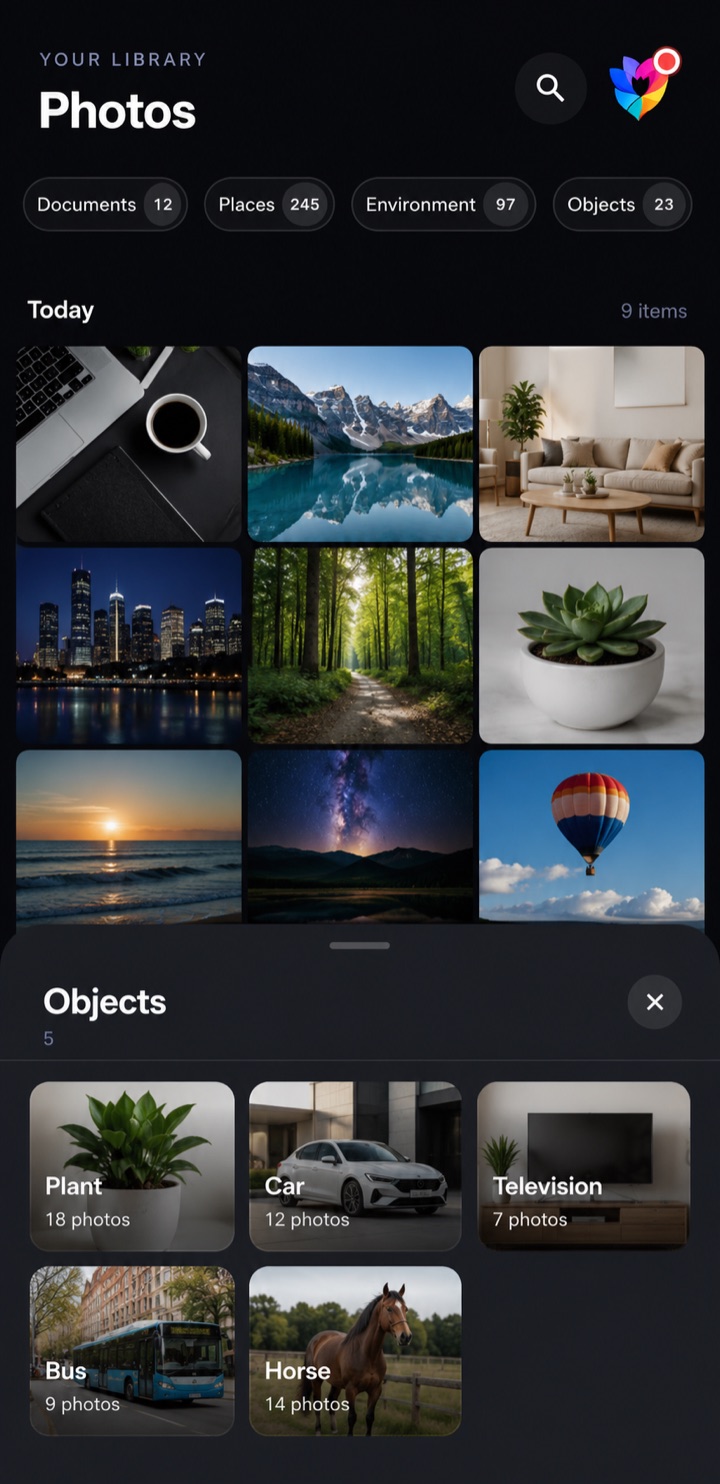
On-device labels for scenes, objects, places, documents and receipts. Search without the cloud.

Personal albums

Group photos your way. Albums sync between your devices through your own Google Drive.

Built-in video player

Hardware-accelerated playback for local videos, with gestures, subtitles and audio tracks.

Light & dark mode

Two hand-tuned themes, one tap to switch. Both beautiful — landscape layout included.
Multi-cloud

Back up to 5 clouds, in parallel

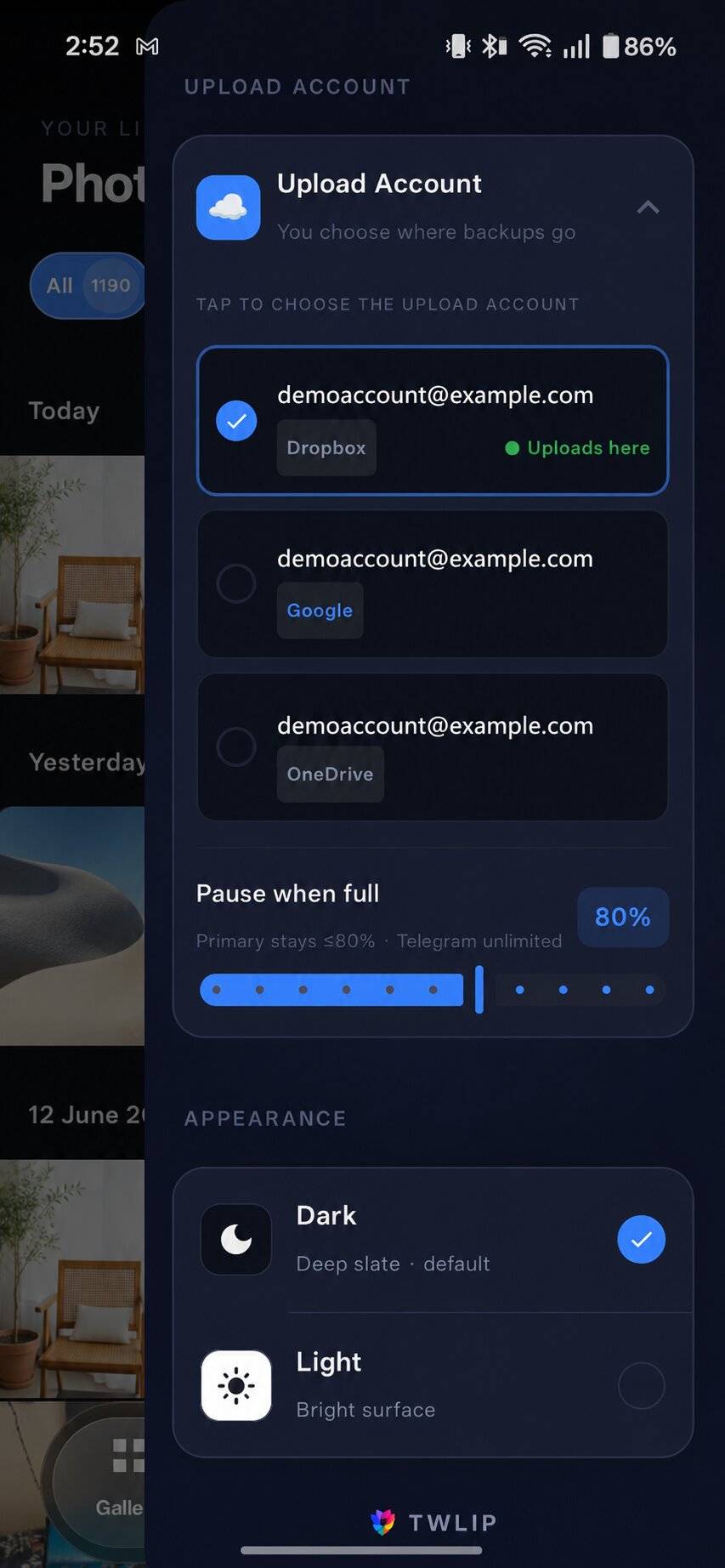
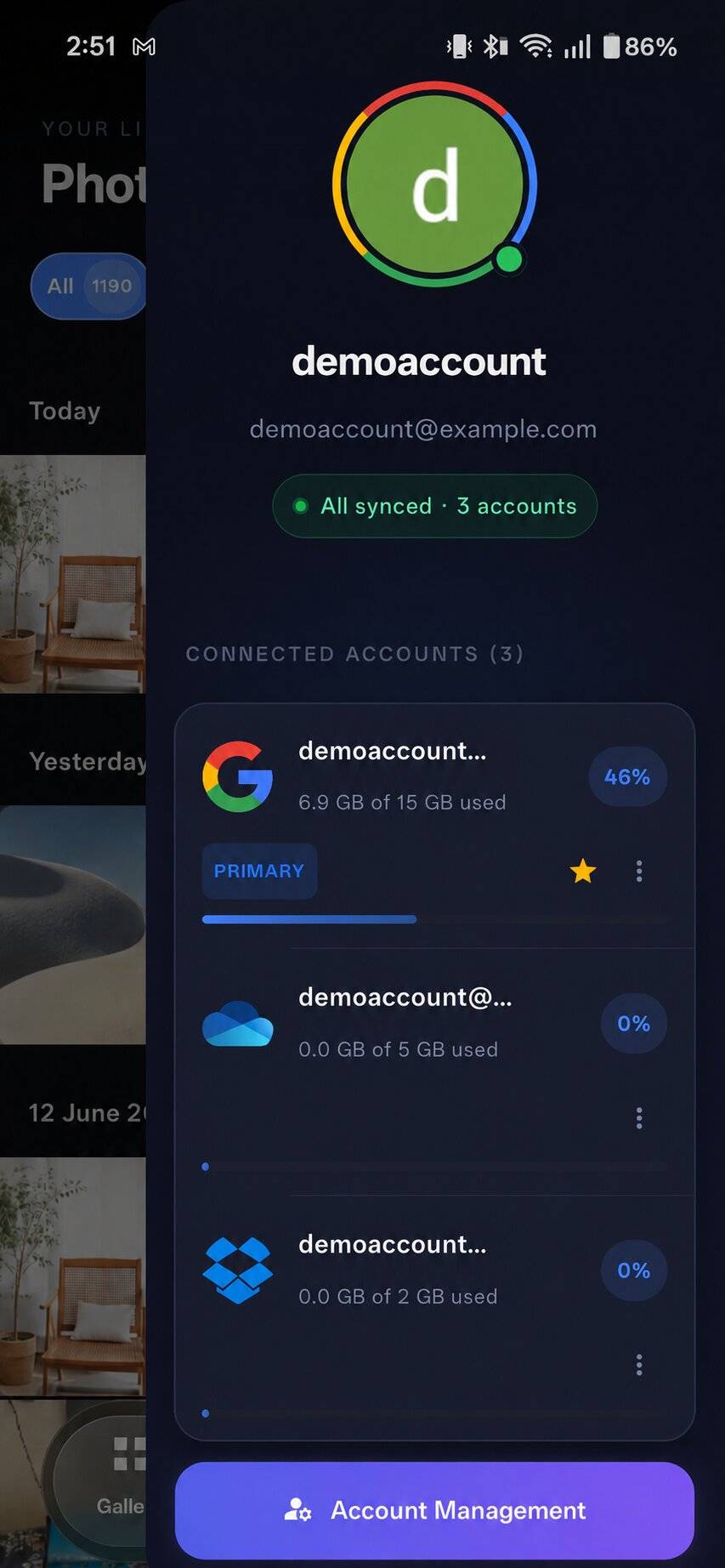
Use any combination. Uploads go straight from your device to the cloud you authorized — nothing transits a Twlip server. Each account's quota is tracked separately.

Google Drive
Telegram
OneDrive
Dropbox
MEGA Soon
Connected cloud accounts
Cloud sync and upload account
Auto backup

Set it once, then forget it

Choose when, how and how much — then never think about backups again.

  • Wi-Fi only, or any network
  • Schedule by hour of day or day of week
  • Pick exactly which folders to back up
  • Pause from the notification shade anytime
  • Resumes safely after a reboot
Auto backup settings
On-device intelligence

Organized the moment you open it

Faces, scenes, objects, places, documents — all recognized privately on your phone. Nothing is uploaded to do it.

People recognized in the gallery

People

Face clusters you can name. Every photo of someone, one tap away.

Smart object and place categories

Objects & places

Plants, cars, documents, receipts, scenes and locations — auto-labeled.

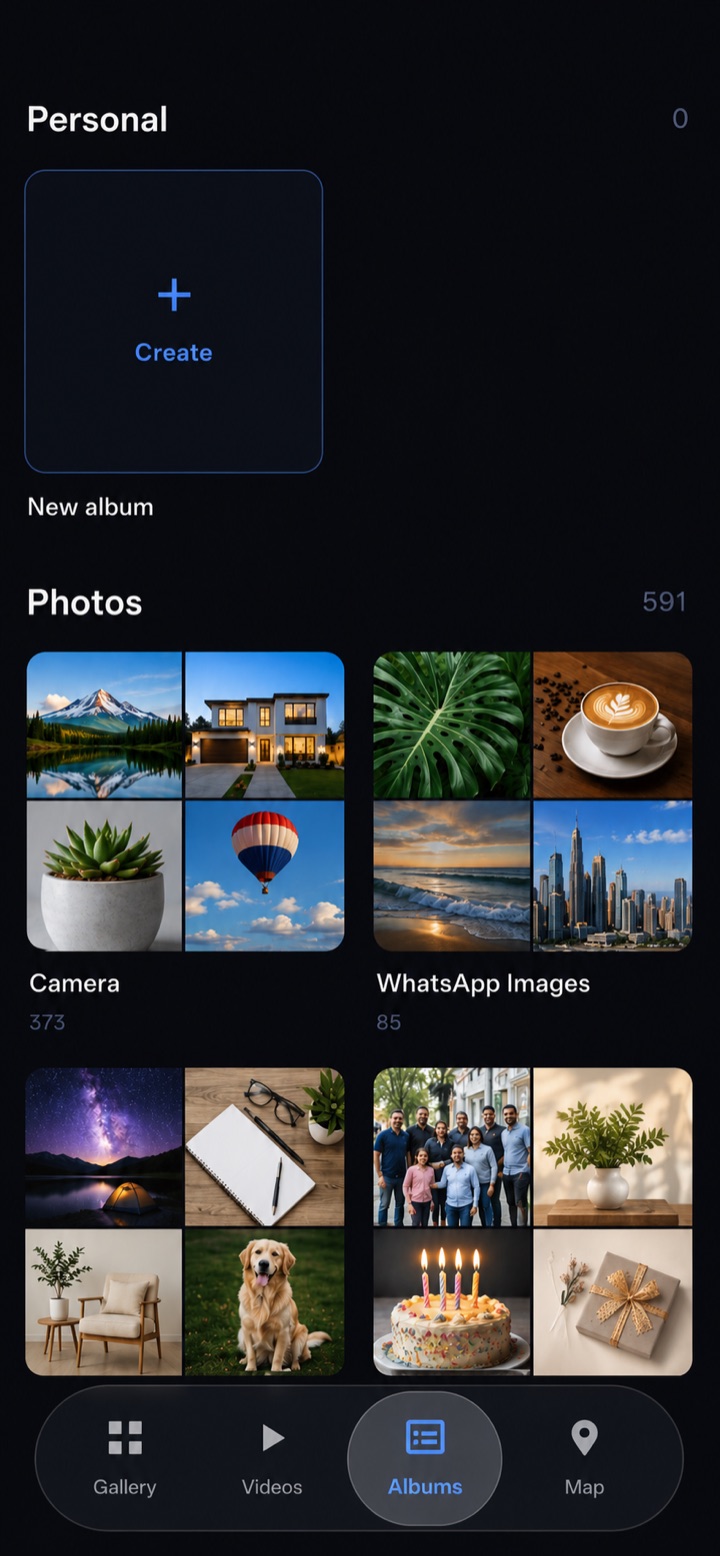
Albums screen
Albums

Your photos, grouped your way

Create personal albums and let folders organize the rest automatically.

  • Smart folder albums with collage covers
  • Hand-built personal albums
  • Albums sync across your devices via your own Drive
  • Video albums detected automatically
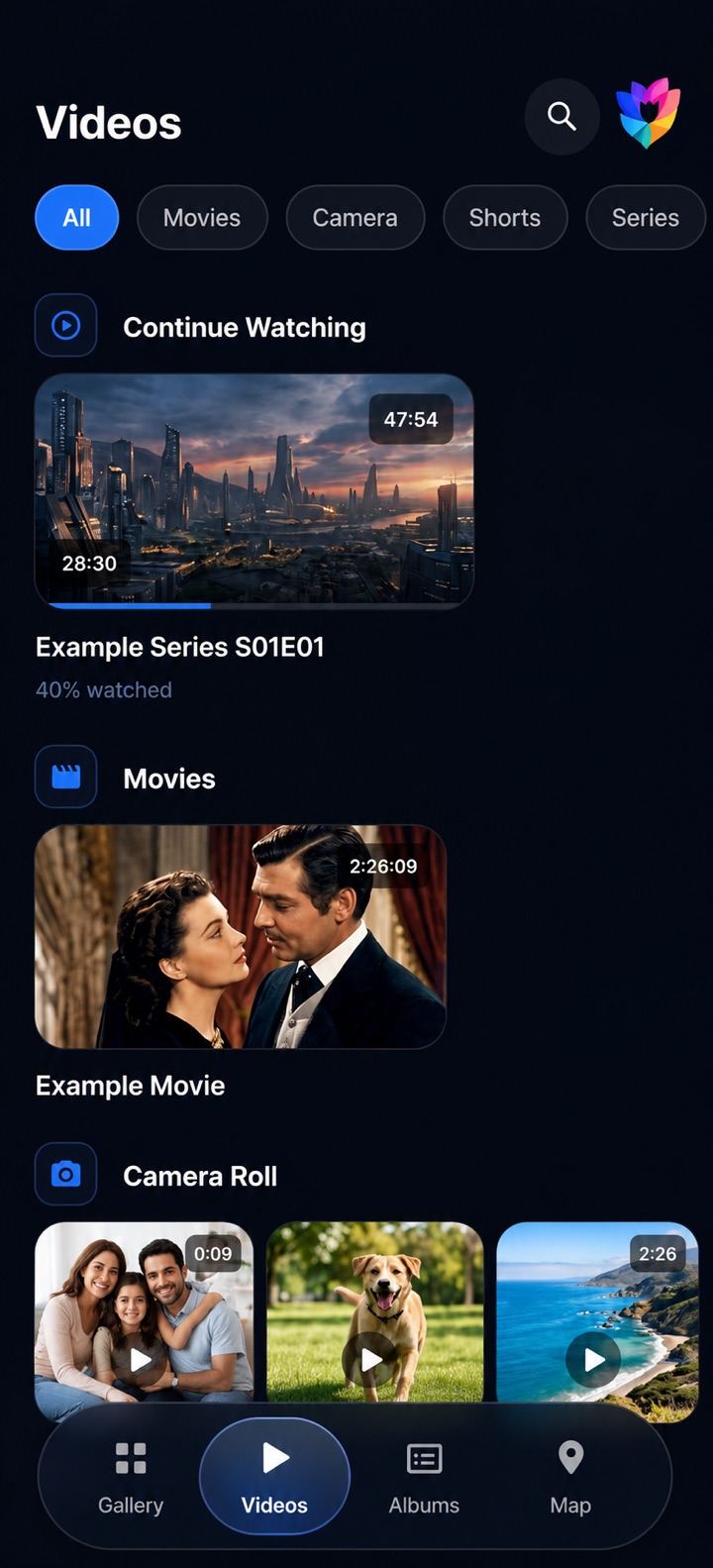
Video

A real player, built in

Your videos deserve more than a thumbnail. Twlip ships a full, hardware-accelerated player.

  • Continue watching where you left off
  • Movies, camera clips, shorts and series, sorted
  • Gesture seek, brightness & volume control
  • Subtitle & audio-track selection
Video screen
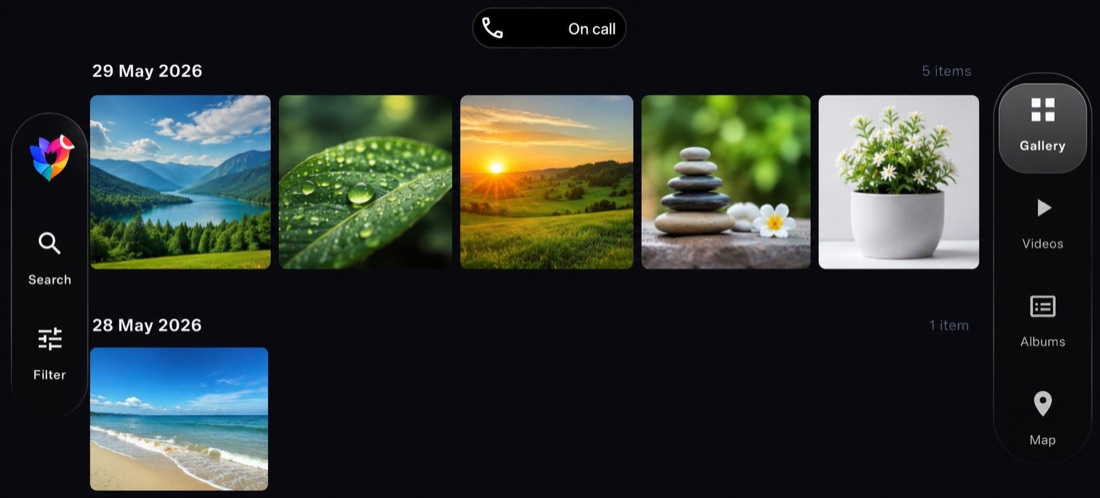
Adaptive layout

Made for landscape too

Rotate your device and the chrome reflows into side rails — every tap stays in reach.

Twlip landscape layout
Privacy first

Your memories stay yours

No ads. No trackers. No middle-man servers between your photos and your cloud.

Direct to your cloud

Uploads go straight from your device to the provider you authorized. Nothing routes through us.

On-device AI

Faces, objects and scenes are recognized locally. Your library is never analyzed in the cloud.

No ads, ever

No advertising and no behavioral tracking — in any plan, free or paid.

Pricing

Free during launch

Launch promo

Twlip is in its launch promotional period — the app is currently free to use. A free baseline plan with a 1 GB monthly upload allowance and Google Drive support stays available after the promo ends. Paid plans — higher monthly quotas and more cloud providers — will be billed through Google Play. There are no ads in any plan.

Twlip logo

Ready to back up everything?

Free during launch. No ads. No tracking.

Get it onGoogle Play